Canon PIXMA MG2555S User Manual Page 5
- Page / 592
- Table of contents
- TROUBLESHOOTING
- BOOKMARKS


- Online Manual 1
- Contents 2
- Read Me First 11
- How to Use the Online Manual 12
- Trademarks and Licenses 13
- Search Tips 14
- Organize Images Easily 18
- Place Photos Automatically 19
- Other Various Functions 19
- CREATIVE PARK 19
- CREATIVE PARK PREMIUM 19
- Overview of the Machine 21
- Safety Guide 22
- Safety Precautions 23
- Users in the U.S.A 24
- Korisnici u Srbiji 25
- Environmental Information 25
- Main Components 27
- Front View 29
- (8) operation panel 30
- (9) platen glass 30
- Rear View 31
- Inside View 32
- Operation Panel 33
- (4) ink lamps 34
- (5) Stop button 34
- (6) Black button* 34
- (7) Color button* 34
- Turning on the machine 37
- Turning off the machine 37
- Caution 39
- Unplug the power cord 40
- Loading Paper / Originals 41
- Loading Paper 42
- After loading paper 45
- Loading Envelopes 46
- (1) Open the paper support 47
- After loading envelopes 48
- Media Types You Can Use 49
- Paper Weight 50
- Notes on Storing Paper 50
- Paper Load Limit 51
- Media Types You Cannot Use 52
- Printing Area 53
- Letter, Legal 56
- Envelopes 57
- Loading Originals 58
- Originals You Can Load 61
- Replacing a FINE Cartridge 62
- Checking the Ink Status 69
- Maintenance 72
- Maintenance Procedure 74
- Clean the print head 75
- Clean the print head deeply 75
- Are Misaligned: 76
- Cleaning the Print Head 79
- Black button 83
- 10. Check the printed pattern 90
- 12. Check the printed pattern 91
- Your Computer 93
- Cleaning Inside the Machine 96
- Cleaning the Machine 97
- Cleaning) 102
- Important 104
- Changing the Machine Settings 105
- Changing the Print Options 107
- 2. Set the necessary items 109
- 3. Click Save 109
- 4. Save the settings 109
- Ink Cartridge Settings 111
- Important 111
- Managing the Machine Power 112
- 4. Apply the settings 113
- Reducing the Machine Noise 114
- About Quiet setting 118
- Useful Information about Ink 122
- Canceling a Print Job 125
- Storing Printed Images 126
- Machine Handling Precautions 127
- Print periodically! 128
- Specifications 132
- Copy Specifications 133
- Scan Specifications 133
- Minimum System Requirements 133
- Other Supported OS 134
- Troubleshooting 135
- Problems with Printing 136
- Printing Does Not Start 137
- Paper Jams 139
- Clean the paper feed roller 141
- Is the paper loaded? 142
- Ink Is Not Ejected 143
- Cannot Print to End of Job 145
- No Printing Results 146
- Printing Is Blurred 146
- Colors Are Wrong 146
- White Streaks 146
- Colors Are Unclear 149
- Lines Are Misaligned 150
- Printed Paper Has Ink Blots 153
- Printed Paper Curls 153
- Paper Is Smudged 154
- Printed Surface Is Scratched 154
- Is the platen glass dirty? 155
- Back of the Paper Is Smudged 157
- Colors Are Uneven or Streaked 158
- Aligning the Print Head 159
- Problems with Scanning 161
- Scanner Does Not Work 163
- Slow Scanning Speed 168
- Resolution 169
- Scanned Image Does Not Open 173
- Scan Results Not Satisfactory 174
- ScanGear 176
- Check: Specify the scan area 177
- Software Problems 181
- Problems with the Machine 183
- Press the ON button 184
- Speed USB connection 186
- Is the ON lamp off? 187
- Is the Alarm lamp flashing? 187
- Cannot Install the MP Drivers 189
- Does Not Appear 192
- If an Error Occurs 193
- A Message Is Displayed 193
- Lamp and the Alarm Lamp 195
- Other Error Messages 199
- Displayed 199
- Support Code List 202
- Close the cover 208
- In Other Cases 209
- The cover is open 211
- Install the FINE cartridge 213
- Replace the FINE cartridge 216
- Printer error has occurred 228
- Contact the service center 233
- Printing 254
- Printing from a Computer 255
- (Printer Driver) 256
- Printing with Easy Setup 257
- 6. Complete the setup 258
- Commercially available papers 260
- Various Printing Methods 261
- 3. Set Orientation 262
- 4. Complete the setup 262
- 2. Select the paper size 262
- 3. Specify the print order 264
- Setting the Stapling Margin 267
- Fit-to-Page Printing 269
- 5. Complete the setup 270
- Scaled Printing 271
- Page Layout Printing 274
- Tiling/Poster Printing 276
- Printing Only Specific Pages 278
- 1. Set the print range 278
- 2. Complete the setup 278
- Booklet Printing 280
- Duplex Printing 282
- Related Topics 283
- Stamp/Background Printing 284
- 3. Select a stamp 285
- 4. Set the stamp details 285
- Registering a Stamp 287
- 3. Click Define Stamp 288
- Deleting an Unnecessary Stamp 290
- 3. Complete the setup 290
- Registering New Background 291
- 3. Click Select Background 292
- 6. Save the background 292
- Setting Up Envelope Printing 295
- 7. Complete the setup 296
- 2. Set the preview 297
- Related Topic 297
- 3. Select the paper size 298
- 4. Set the custom paper size 299
- 5. Executing print 302
- 2. Select the print quality 305
- 2. Set grayscale printing 307
- Specifying Color Correction 309
- Printing with ICC Profiles 311
- Color Management 312
- 3. Select color correction 314
- 4. Set the other items 314
- Printing with ICC Profiles 316
- 4. Select the input profile 318
- 5. Set the other items 318
- Adjusting Color Balance 320
- 3. Adjust color balance 321
- 3. Selecting pattern print 323
- 4. Setting pattern print 324
- Adjusting Brightness 328
- Adjusting Intensity 330
- Adjusting Contrast 332
- Canon IJ Printer Driver 339
- Canon IJ Status Monitor 342
- Canon IJ Preview 345
- 2. Display the print jobs 346
- 3. Delete the print jobs 346
- Printer Driver Description 349
- Quick Setup tab Description 350
- Main tab Description 357
- Features 363
- Page Setup tab Description 365
- Maintenance tab Description 381
- Related Features 389
- Canon IJ Preview Description 390
- Updating the MP Drivers 408
- 1. Start the uninstaller 410
- 2. Execute the uninstaller 410
- Checking the Machine Status 412
- Installing the MP Drivers 413
- Settings on Print Server 416
- 4. Set sharing 417
- Settings on Client PC 418
- Making Copies Basic 423
- Making Copies 424
- Scanning 427
- Scanning from a Computer 428
- Scanning with IJ Scan Utility 429
- Integrate with Applications 430
- Starting IJ Scan Utility 432
- Easy Scanning with Auto Scan 433
- Scanning Photos 435
- Scanning Documents 436
- 11. Click Save 441
- The combined image is saved 442
- 4. Click Custom Scan 444
- 7. Click Custom 446
- 5. Click Photo 448
- 7. Click OK 449
- 5. Click OK 451
- 6. Click Photo 452
- 1. Start IJ Scan Utility 453
- 2. Click Settings 453
- 3. Click Document Scan 453
- 6. Click Document 455
- IJ Scan Utility Screens 457
- IJ Scan Utility Main Screen 458
- Settings Dialog Box 460
- (3) Application Settings Area 463
- (1) Scan Options Area 465
- (2) Save Settings Area 466
- (1) Save Settings Area 486
- (2) Application Settings Area 488
- • Instructions 490
- Opens this guide 490
- • Defaults 490
- Save Settings Dialog Box 493
- (2) Scan Results Area 494
- (3) Save Settings Area 494
- Image Stitch Window 495
- (2) Toolbar 497
- (3) Thumbnail View Area 498
- (4) Preview Area 498
- Basic Mode 501
- Advanced Mode 502
- Starting from an Application 504
- Scanning in Basic Mode 505
- Scanning in Advanced Mode 508
- (Scanner Driver) 510
- Click Scan 513
- None Auto 515
- Set Unsharp Mask to ON 516
- Set Descreen to ON 516
- None Medium 517
- Color Adjustment 519
- Before After 520
- Saturation 521
- Color Balance 521
- Brightness 524
- Contrast 524
- Adjusting Histogram 525
- Moving the Mid-point Slider 527
- Adjusting Tone Curve 529
- Edit custom curve 531
- Setting Threshold 532
- Basic Mode Tab 534
- (3) Preview Area 539
- Advanced Mode Tab 541
- Input Settings 547
- Output Settings 550
- Image Settings 553
- Color Adjustment Buttons 558
- Preferences Dialog Box 561
- Scanner Tab 562
- Preview Tab 565
- Scan Tab 567
- Color Settings Tab 568
- Placing Items (Platen) 570
- Initial Cropping Frame 573
- Cropping Frame Types 573
- Adjusting a Cropping Frame 574
- Deleting Cropping Frames 575
- Scanner Driver Restrictions 577
- Data Formats 579
- Color Matching 579
- Other Scanning Methods 585
- Scanning with WIA Driver 586
- 6. Click Scan 588
- • Brightness 589
- Placing Items 591
Related products and manuals for Multifunctionals Canon PIXMA MG2555S
 (226 pages)
(524 pages)
(864 pages)
(102 pages)
(383 pages)
(68 pages)
(217 pages)
(226 pages)
(524 pages)
(864 pages)
(102 pages)
(383 pages)
(68 pages)
(217 pages)
 (107 pages)
(110 pages)
(264 pages)
(121 pages)
(267 pages)
(751 pages)
(213 pages)
(236 pages)
(255 pages)
(107 pages)
(110 pages)
(264 pages)
(121 pages)
(267 pages)
(751 pages)
(213 pages)
(236 pages)
(255 pages)
Saeco HD8769/01 podręczniki
Instrukcje obsługi i podręczniki użytkownika dla Akcesoria do mikserów / robotów kuchennych Saeco HD8769/01.
Dostarczamy 1 pdf podręczników Saeco HD8769/01 do pobrania za darmo według typów dokumentów: Instrukcja Użytkownika
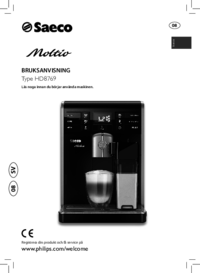
Saeco HD8769/01 Instrukcja Użytkownika (84 strony)
Marka: Saeco | Kategoria: Mixer/food processor accessories | Rozmiar: 4.82 MB |
Spis treści
19
26
27
28
33
37
41
51
65
66
68
77
79
Więcej produktów i instrukcji dla Akcesoria do mikserów / robotów kuchennych Saeco
| Modele | Rodzaj dokumentu |
|---|---|
| HD8751/11 | Instrukcja Użytkownika Saeco Intelia Automatisk espressomaskin HD8751/11 Bruksanvisning, 52 strony |
| HD8925/01 | Instrukcja Użytkownika Saeco PicoBaristo Automatisk espressomaskin HD8925/01 Bruksanvisning, 36 strony |
| SM3061/10 | Instrukcja Użytkownika Saeco PicoBaristo Automatisk espressomaskin SM3061/10 Bruksanvisning, 29 strony |
| HD8833/11 | Instrukcja Użytkownika Saeco Syntia Automatisk espressomaskin HD8833/11 Bruksanvisning, 24 strony |
| HD8852/01 | Instrukcja Użytkownika Saeco Energica Automatisk espressomaskin HD8852/01 Bruksanvisning, 72 strony |
| HD8763/11 | Instrukcja Użytkownika Saeco Minuto Automatisk espressomaskin HD8763/01 Bruksanvisning, 76 strony |
| HD8917/01 | Instrukcja Użytkownika Saeco Incanto Espressomaskin med italiensk design HD8917/01 Bruksanvisning [en] , 29 strony |
| HD8965/01 | Instrukcja Użytkownika Saeco GranBaristo Espressomaskin av proffskvalitet HD8965/01 Bruksanvisning, 88 strony |
| HD8922/01 | Instrukcja Użytkownika Saeco Incanto Deluxe Automatisk espressomaskin HD8922/01 Bruksanvisning, 27 strony |
| RI9745/01 | Instrukcja Użytkownika Saeco RI9745/01 RI9745/01 Bruksanvisning, 16 strony |
© 2020, manymanuals.com. All rights reserved. | 0.066 s |
 Manymanuals.com
 Manymanuals.de
 Manymanuals.fr
 Manymanuals.it
 Manymanuals.pl
 Manymanuals.cz
 Manymanuals.es
 Manymanuals-pt.com
Comments to this Manuals