Canon PowerShot G9 X Mark II User Manual Page 19
- Page / 219
- Table of contents
- BOOKMARKS


- Camera User Guide 1
- Before Use 2
- Conventions in This Guide 3
- Part Names 4
- Table of Contents 5
- Common Camera Operations 13
- Safety Precautions 14
- Basic Guide 17
- Initial Preparations 18
- Setting the Date and Time 20
- Trying the Camera Out 22
- Erasing images 24
- Advanced Guide 25
- Shutter Button 26
- Shooting Display Options 27
- Shooting Modes 27
- Using the Quick Set Menu 28
- Using the Menu Screen 29
- Auto Mode / 30
- Hybrid Auto Mode 30
- Image Stabilization Icons 33
- Common, Convenient Features 34
- Using the Self-Timer 35
- Customizing the Self-Timer 36
- Continuous Shooting 37
- (Touch Shutter) 37
- Using Face ID 38
- Register face information 41
- Image Customization Features 42
- Changing Movie Image Quality 43
- Helpful Shooting Features 44
- Size Shown before Shooting 45
- Changing the IS Mode Settings 45
- Customizing Camera Operation 46
- Other Shooting Modes 47
- Applying Special Eects 49
- (Fish-Eye Eect) 50
- (Miniature Eect) 51
- Defocus) 52
- Shooting Starry Skies (Star) 53
- (Star Nightscape) 55
- Secure the camera 57
- Check the brightness 57
- Adjusting the Focus 59
- Adjusting Colors 59
- Recording Various Movies 60
- Sound Settings 61
- Disabling Auto Slow Shutter 61
- Recording Short Clips 62
- Congure movie settings 63
- Recording iFrame Movies 64
- Changing the ISO Speed 66
- Adjusting ISO Auto Settings 67
- Priority) 68
- (Auto Lighting Optimizer) 68
- Image Colors 69
- Congure the setting 70
- Customizing Picture Styles 72
- Shooting Range and Focusing 73
- Shooting in Manual Focus Mode 74
- Digital Tele-Converter 75
- Choosing the AF Method 75
- +Tracking 76
- Changing the Focus Setting 77
- Fine-Tuning the Focus 77
- Shooting with Servo AF 77
- Shooting with the AF Lock 79
- Changing the Flash Mode 80
- Shooting with the FE Lock 81
- Other Settings 82
- Tv, Av, M, and C Mode 83
- Values ([M] Mode) 84
- Specify bulb exposure 85
- Speeds and Aperture Values 86
- Adjusting the Flash Output 86
- Ring Functions 87
- [ ] ring 88
- Rearranging Menu Items 90
- Saving Shooting Settings 91
- (My Menu) 92
- Renaming My Menu Tabs 93
- Deleting a My Menu Tab 93
- Playback Mode 94
- Switching Display Modes 96
- Still Images (Digest Movies) 97
- Browsing and Filtering Images 98
- Choose the rst condition 99
- View the ltered images 99
- Touch-Screen Operations 100
- Editing Face ID Information 101
- Image Viewing Options 102
- Viewing Slideshows 103
- Protecting All Images at Once 104
- Selecting a Range 104
- Erasing Images 105
- Rotating Images 106
- Tagging Images as Favorites 107
- Using Touch Actions Functions 108
- Editing Still Images 109
- Cropping 110
- Applying Filter Eects 111
- Correcting Red-Eye 112
- Save the image 113
- Choose a RAW image 113
- Access the setting screen 113
- Congure advanced settings 113
- Using the Menu 114
- Editing Movies 115
- Erasing Movie Chapters 116
- Reducing File Sizes 116
- Choosing Themes for Albums 117
- Still Images 118
- Creating Your Own Albums 119
- Combining Short Clips 120
- Wireless Features 121
- Smartphone 122
- Transfer images 123
- Prepare for pairing 123
- Start Camera Connect 123
- Complete pairing 123
- Send an image 125
- Using Another Access Point 127
- Previous Access Points 128
- Saving Images to a Computer 129
- Import images 132
- Display CameraWindow 132
- Registering Web Services 134
- Connected Printer 137
- Choose the printer 138
- Choose an image 138
- Access the printing screen 138
- Print the image 138
- Access the Wi-Fi menu 139
- Choose [ ] 139
- Choose [Add a Device] 139
- Image Sending Options 140
- Notes on Sending Images 141
- Sending Images Automatically 142
- (Image Sync) 142
- Preparing the Computer 143
- Sending Images 144
- Images and Control the Camera 145
- Changing a Device Nickname 147
- Changing the Camera Nickname 148
- Bluetooth 149
- Setting Menu 150
- Changing the Video System 151
- Formatting Memory Cards 151
- Using Eco Mode 152
- Electronic Level Calibration 152
- Screen Brightness 153
- Power-Saving Adjustment 153
- Date and Time 154
- Lens Retraction Timing 154
- World Clock 154
- Adjusting the Volume 155
- Customizing Sounds 155
- Start-Up Screen 155
- Display Language 155
- Silencing Camera Operations 155
- Metric / Non-Metric Display 156
- Hiding Hints and Tips 156
- Adjusting Other Settings 157
- Checking Certication Logos 157
- Restoring All Camera Defaults 158
- Accessories 159
- Conguring Print Settings 160
- Printing Movie Scenes 162
- Specify the number of prints 164
- Adding Images to a Photobook 165
- Appendix 167
- On-Screen Messages 171
- On-Screen Information 174
- During Playback 175
- Info Display 3 176
- Info Display 4 176
- Info Display 5 176
- Functions and Menu Tables 177
- Quick Set Menu 179
- Shooting Tab 182
- My Menu Tab 190
- Set Up Tab 190
- Playback Tab 191
- Specications 192
- Handling Precautions 192
- Shooting 193
- Aperture 193
- Recording 194
- Interface 195
- Operating Environment 195
- Dimensions (CIPA Compliant) 195
- Weight (CIPA Compliant) 195
- Battery Pack NB-13L 196
- Security Precautions 199
- Trademarks and Licensing 200
- Third-Party Software 200
- Disclaimer 201
Related products and manuals for Unknown Canon PowerShot G9 X Mark II
 (196 pages)
 (201 pages)
 (200 pages)
 (206 pages)
 (11 pages)
 (2 pages)
(85 pages)
(34 pages)
(2 pages)
(85 pages)
(34 pages)
 (164 pages)
(185 pages)
(203 pages)
(164 pages)
(185 pages)
(203 pages)
 (488 pages)
(273 pages)
(15 pages)
(488 pages)
(273 pages)
(15 pages)
 (200 pages)
(772 pages)
(200 pages)
(772 pages)
Saeco HD8769/01 podręczniki
Instrukcje obsługi i podręczniki użytkownika dla Akcesoria do mikserów / robotów kuchennych Saeco HD8769/01.
Dostarczamy 1 pdf podręczników Saeco HD8769/01 do pobrania za darmo według typów dokumentów: Instrukcja Użytkownika
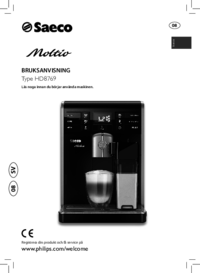
Saeco HD8769/01 Instrukcja Użytkownika (84 strony)
Marka: Saeco | Kategoria: Mixer/food processor accessories | Rozmiar: 4.82 MB |
Spis treści
19
26
27
28
33
37
41
51
65
66
68
77
79
Więcej produktów i instrukcji dla Akcesoria do mikserów / robotów kuchennych Saeco
| Modele | Rodzaj dokumentu |
|---|---|
| HD8751/11 | Instrukcja Użytkownika Saeco Intelia Automatisk espressomaskin HD8751/11 Bruksanvisning, 52 strony |
| HD8925/01 | Instrukcja Użytkownika Saeco PicoBaristo Automatisk espressomaskin HD8925/01 Bruksanvisning, 36 strony |
| SM3061/10 | Instrukcja Użytkownika Saeco PicoBaristo Automatisk espressomaskin SM3061/10 Bruksanvisning, 29 strony |
| HD8833/11 | Instrukcja Użytkownika Saeco Syntia Automatisk espressomaskin HD8833/11 Bruksanvisning, 24 strony |
| HD8852/01 | Instrukcja Użytkownika Saeco Energica Automatisk espressomaskin HD8852/01 Bruksanvisning, 72 strony |
| HD8763/11 | Instrukcja Użytkownika Saeco Minuto Automatisk espressomaskin HD8763/01 Bruksanvisning, 76 strony |
| HD8917/01 | Instrukcja Użytkownika Saeco Incanto Espressomaskin med italiensk design HD8917/01 Bruksanvisning [en] , 29 strony |
| HD8965/01 | Instrukcja Użytkownika Saeco GranBaristo Espressomaskin av proffskvalitet HD8965/01 Bruksanvisning, 88 strony |
| HD8922/01 | Instrukcja Użytkownika Saeco Incanto Deluxe Automatisk espressomaskin HD8922/01 Bruksanvisning, 27 strony |
| RI9745/01 | Instrukcja Użytkownika Saeco RI9745/01 RI9745/01 Bruksanvisning, 16 strony |
© 2020, manymanuals.com. All rights reserved. | 0.163 s |
 Manymanuals.com
 Manymanuals.de
 Manymanuals.fr
 Manymanuals.it
 Manymanuals.pl
 Manymanuals.cz
 Manymanuals.es
 Manymanuals-pt.com
Comments to this Manuals